 KeyStack
“Sunday morning, and you can't remember which key the leader wants.”
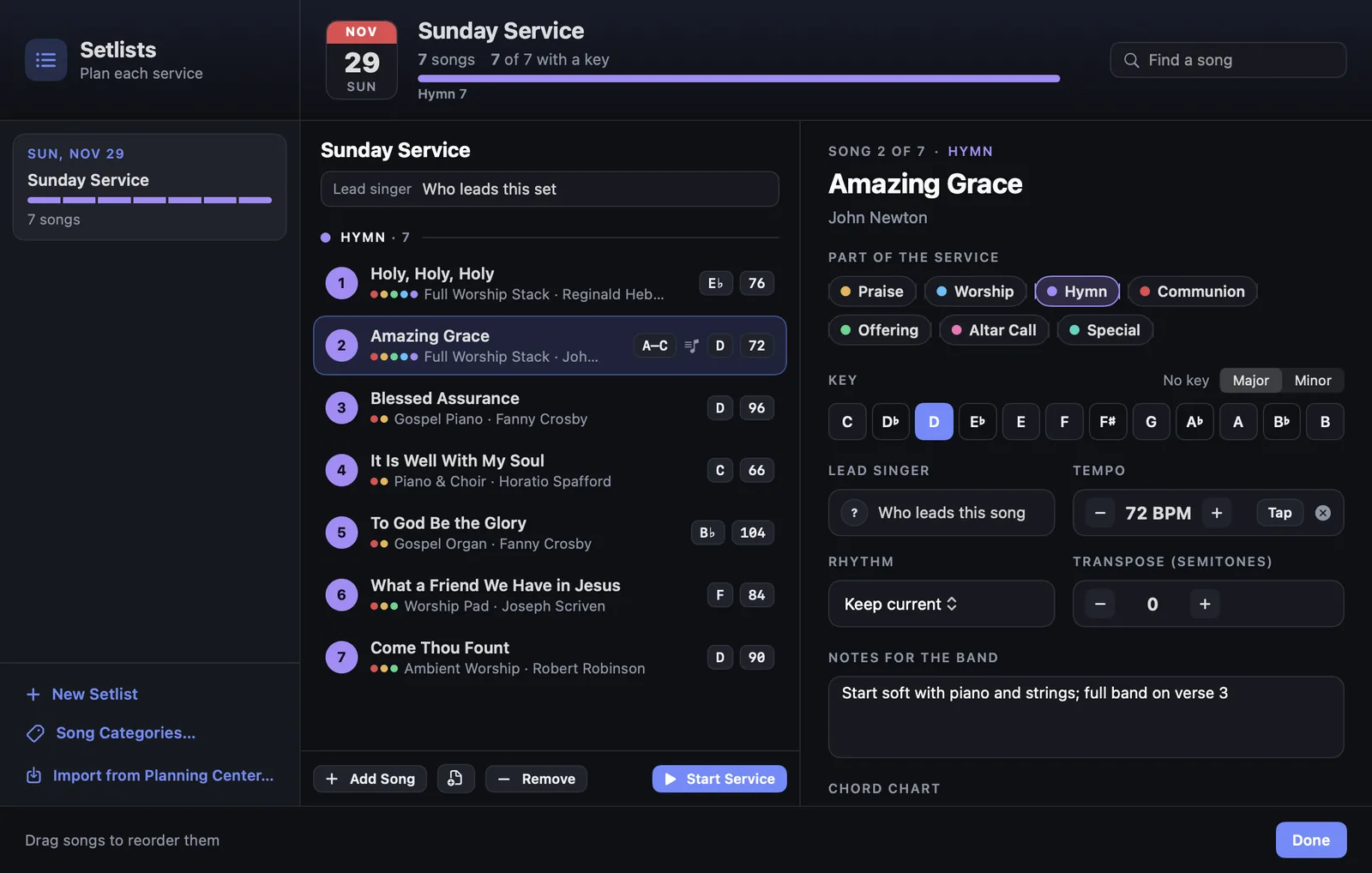
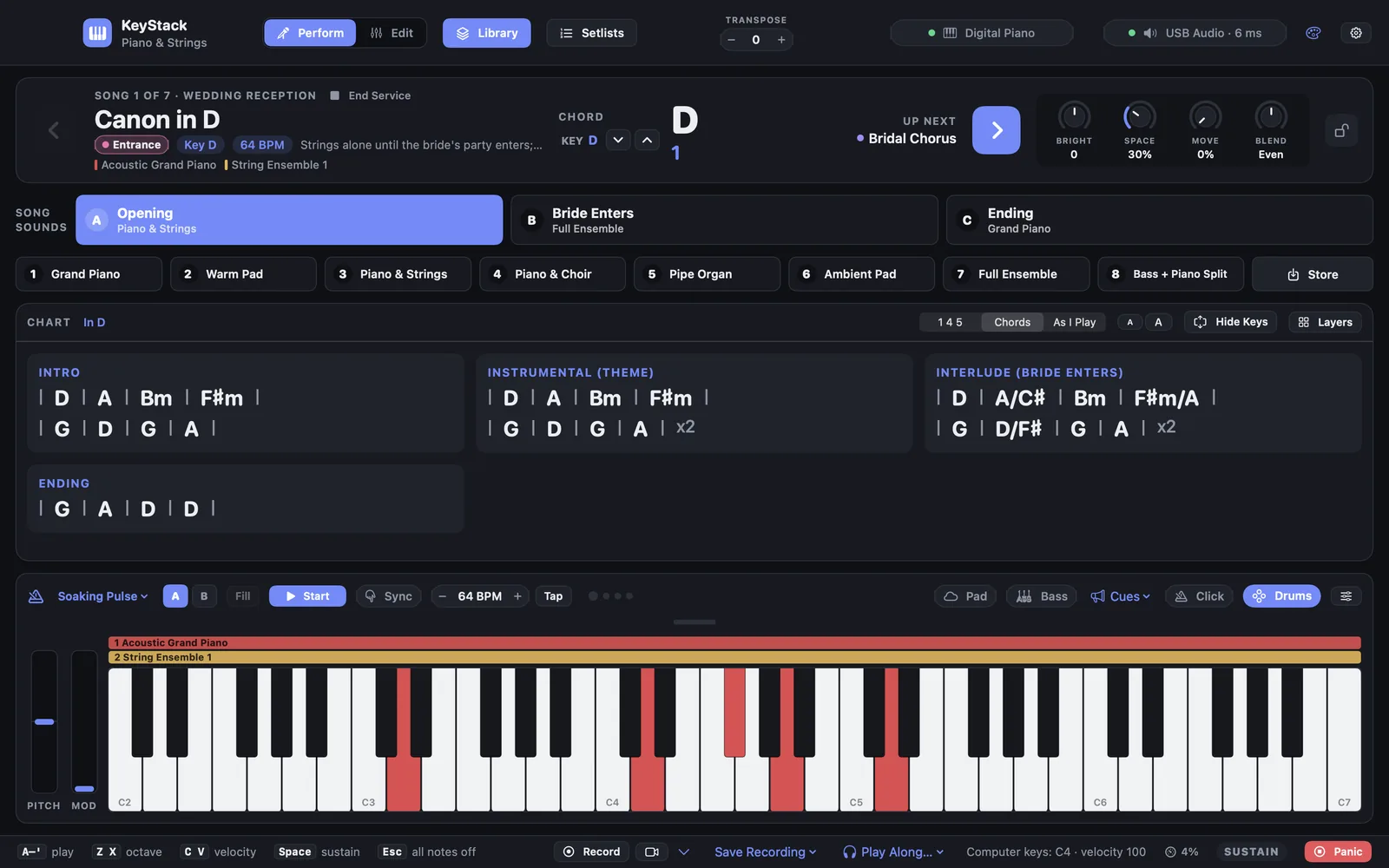
Every song in the setlist keeps its key, tempo, chord chart and sounds. One press, or a footswitch, and the next song is ready.
Layers, splits, setlists with chord charts, and a band that follows your chords. One laptop, any MIDI keyboard.
Made for church, and just as ready for weddings, concerts, gigs and lessons.
14 days with every feature, then it keeps working as KeyStack Free. Windows and iPad are coming soon.
Watch it play
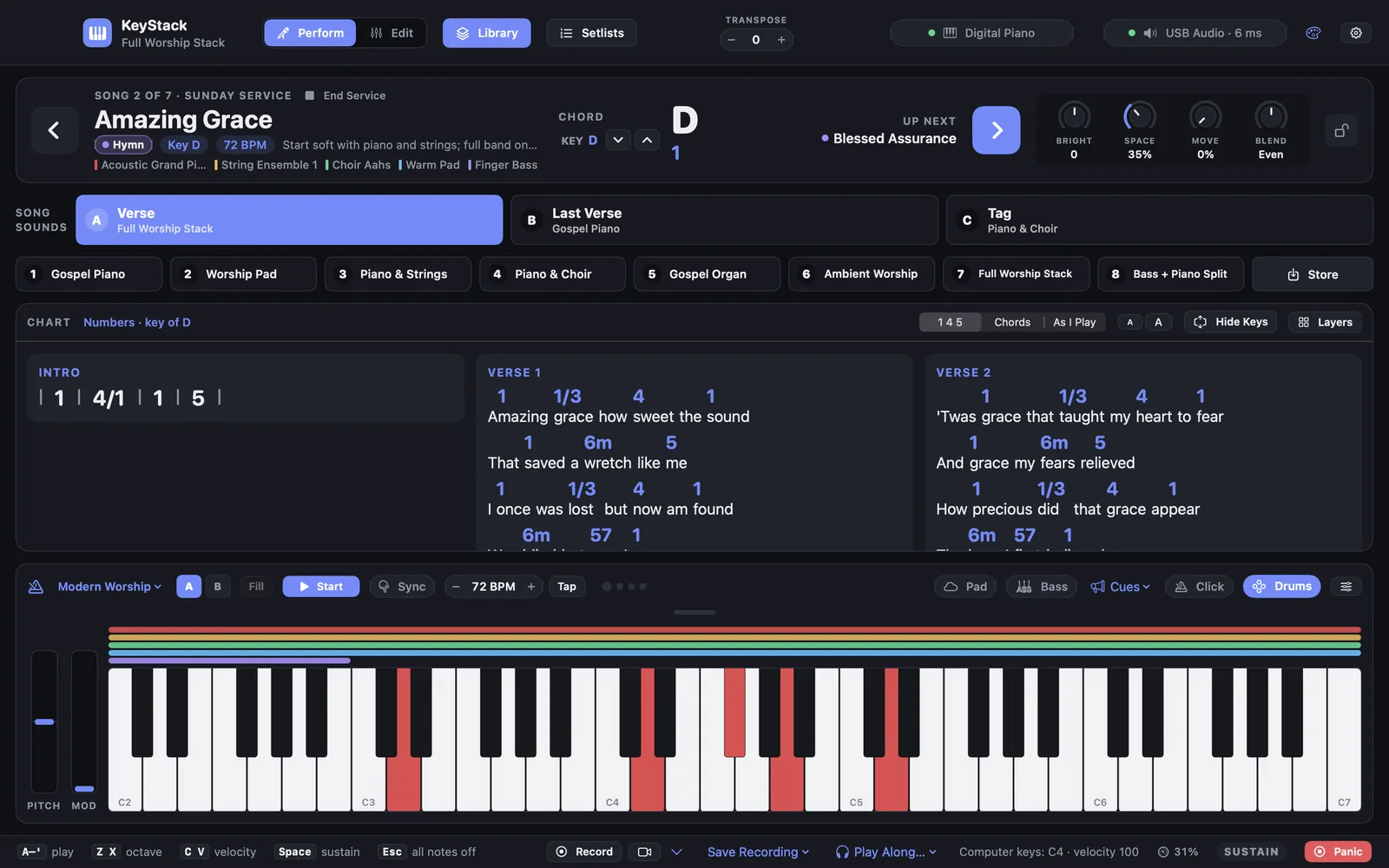
Real KeyStack sound and screens: the chart following the chords, sounds changing with the song, and Note Trails.
Sound familiar?
Set it up once during the week. On Sunday, one press or a footswitch brings each song with its own sounds, key and chart.
Every song in the setlist keeps its key, tempo, chord chart and sounds. One press, or a footswitch, and the next song is ready.
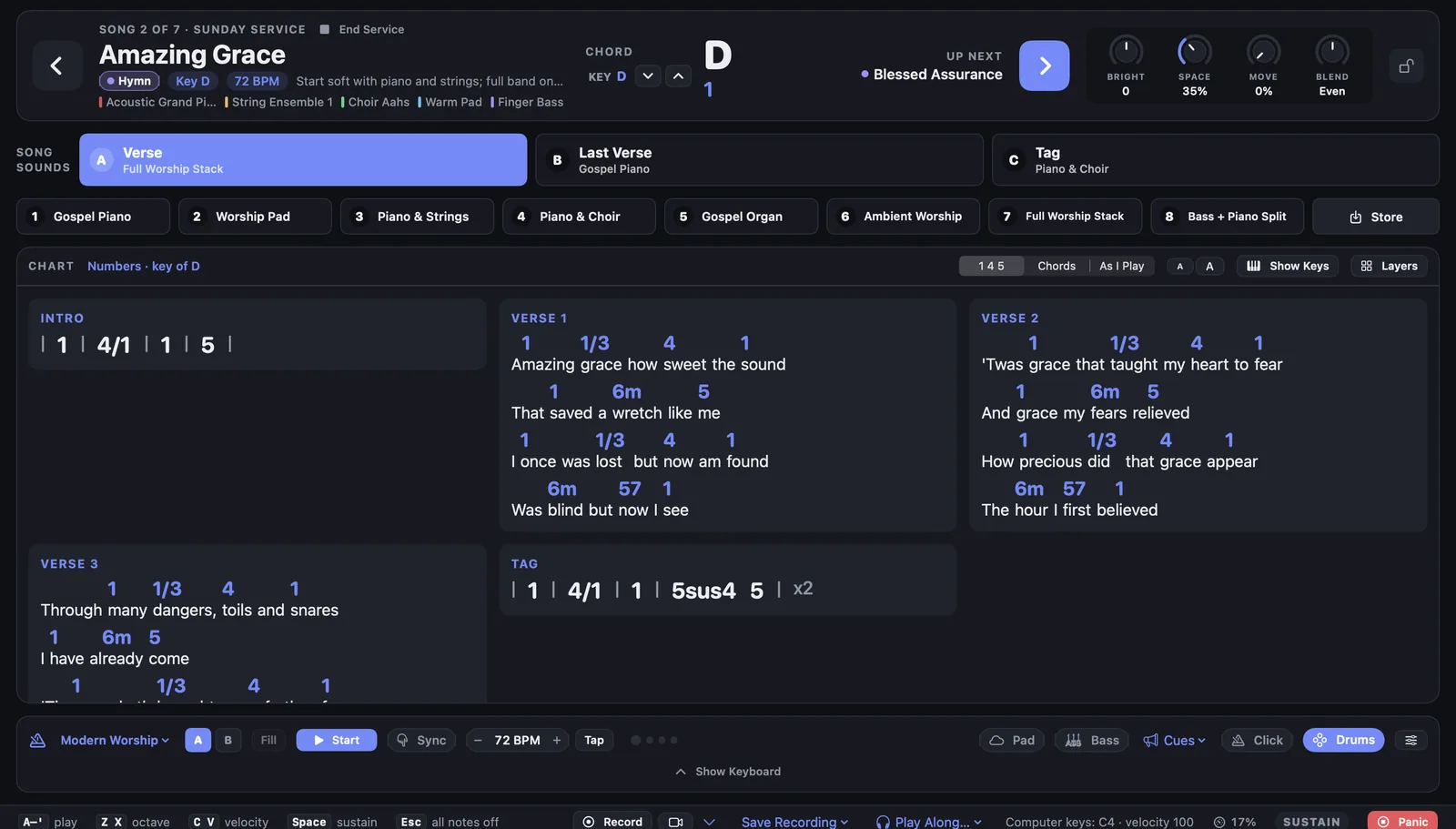
Press transpose. Your fingers stay where they are, KeyStack plays it in the new key, and the chart moves with you.
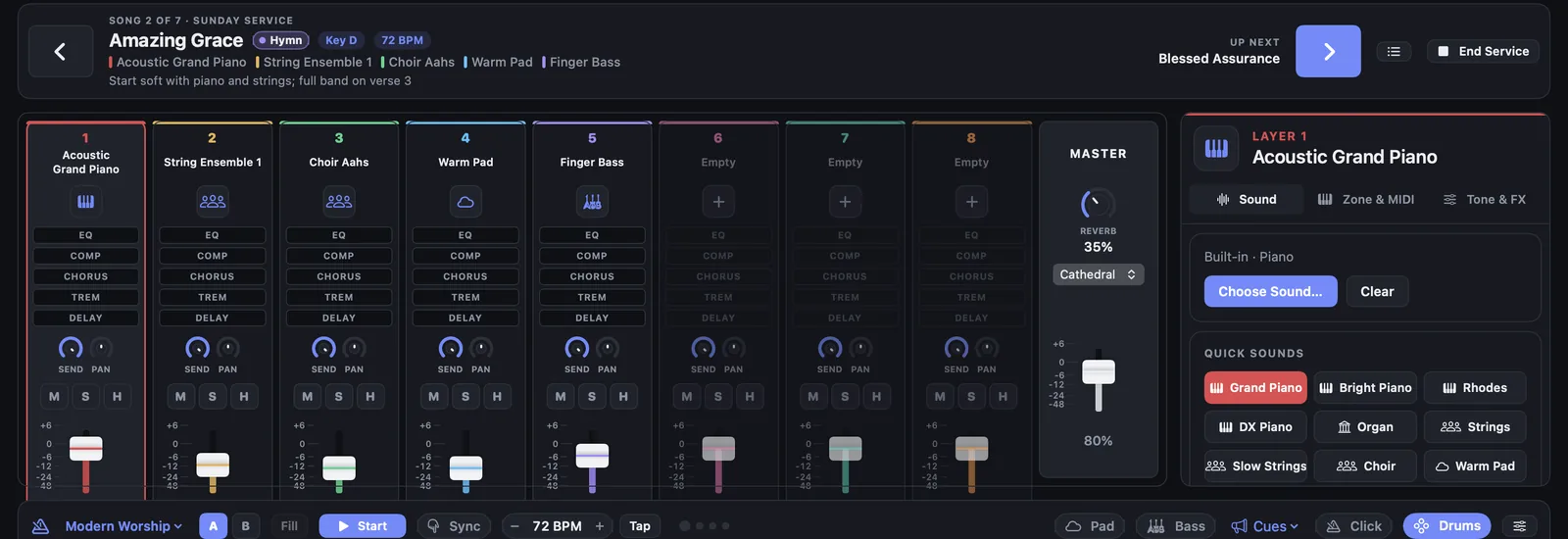
Let your keyboard be your hands and KeyStack the sound: piano, strings, choir and pads stacked together, played through your laptop and the church's sound system. Any touch-sensitive keyboard with USB or MIDI will do.
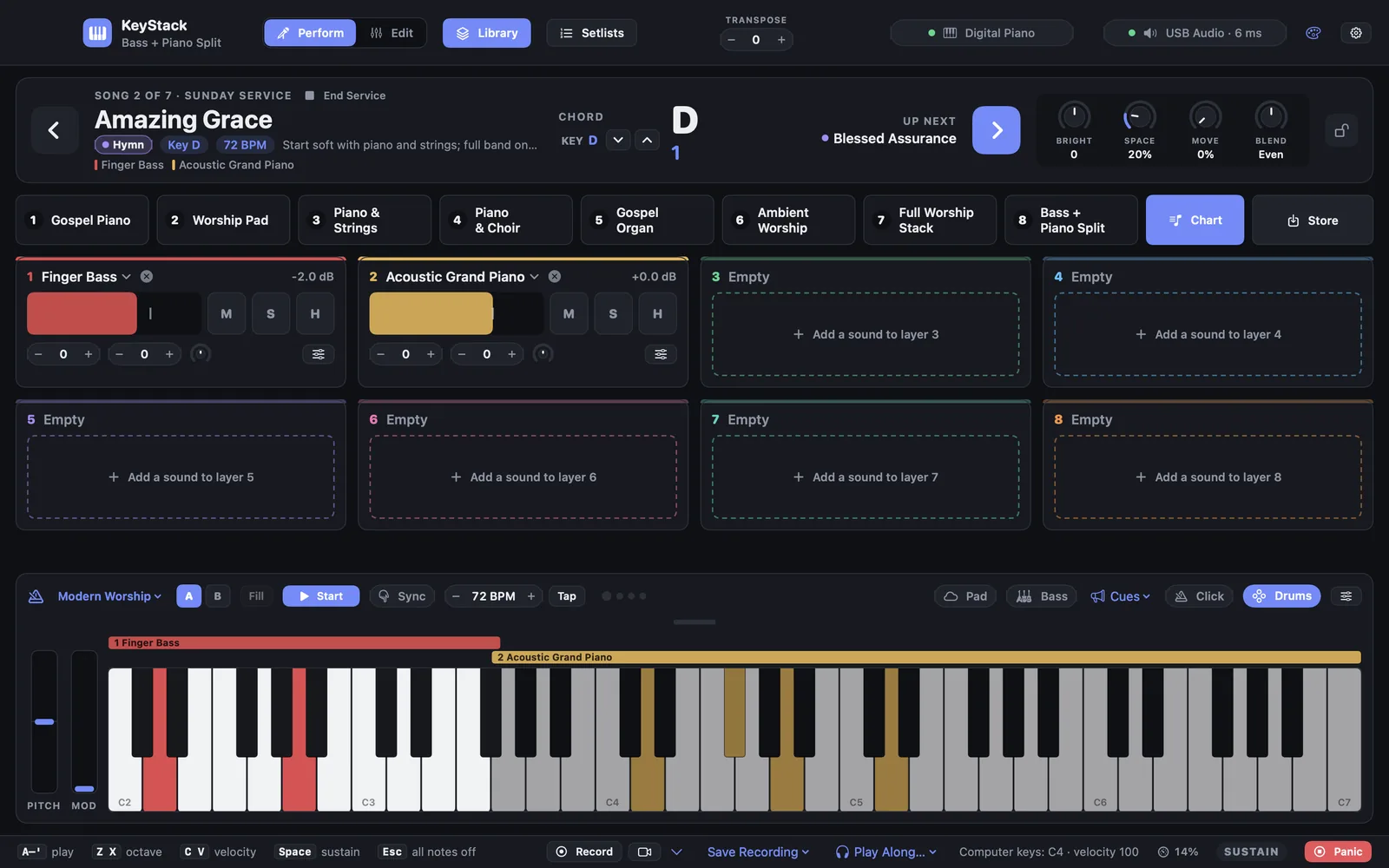
Split the keyboard in seconds: play the key where the split goes, give each side its own sound, and drag the split point right on the keys to move it.
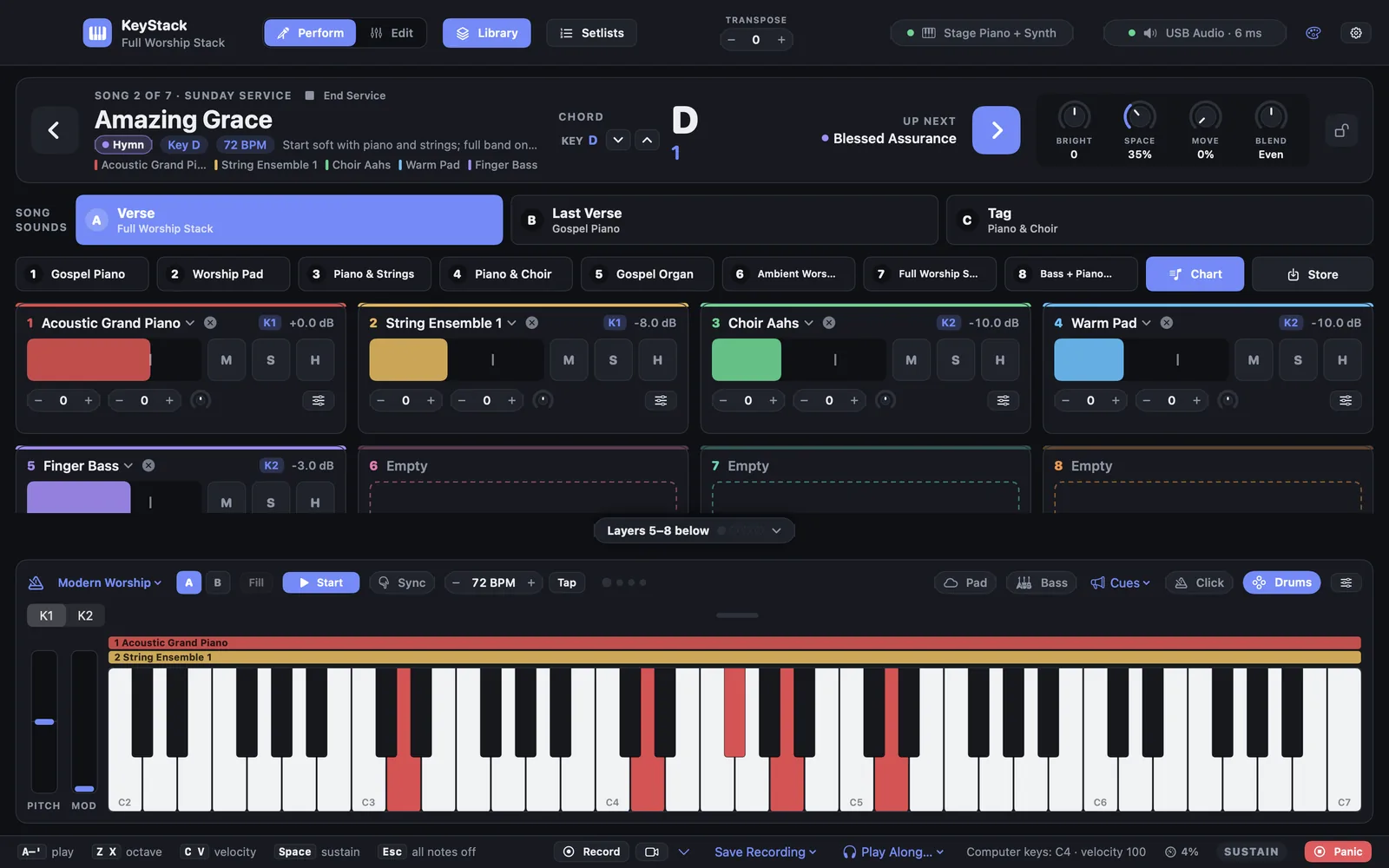
Plug both into one laptop and give each keyboard its own sounds: piano and strings on the top one, choir, pad and bass on the bottom.
Each song keeps up to four sounds (verse, chorus, bridge, tag). Move between them with one tap or a footswitch, without stopping.

Worship, praise, gospel and African rhythms, with a pad and bass that follow the chords you play.
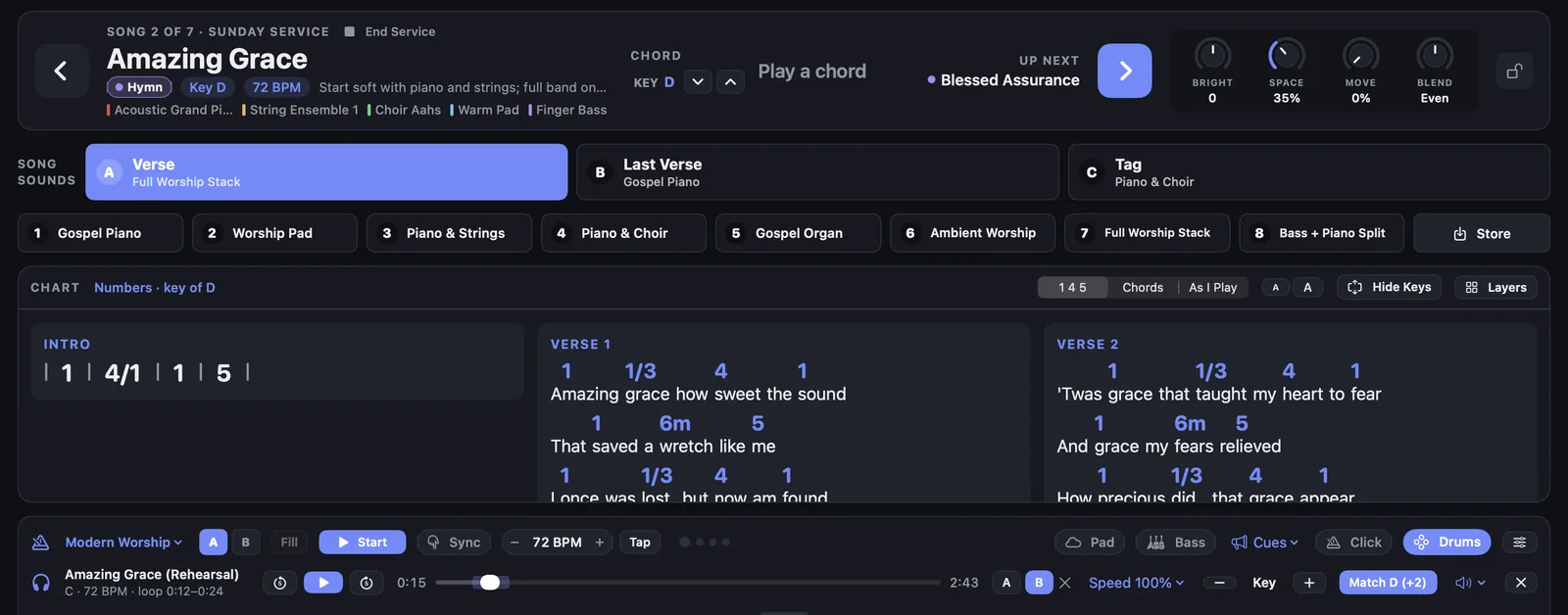
Open the recording: KeyStack finds its key and tempo, moves it to the key you'll play in, slows it down and loops the hard part.
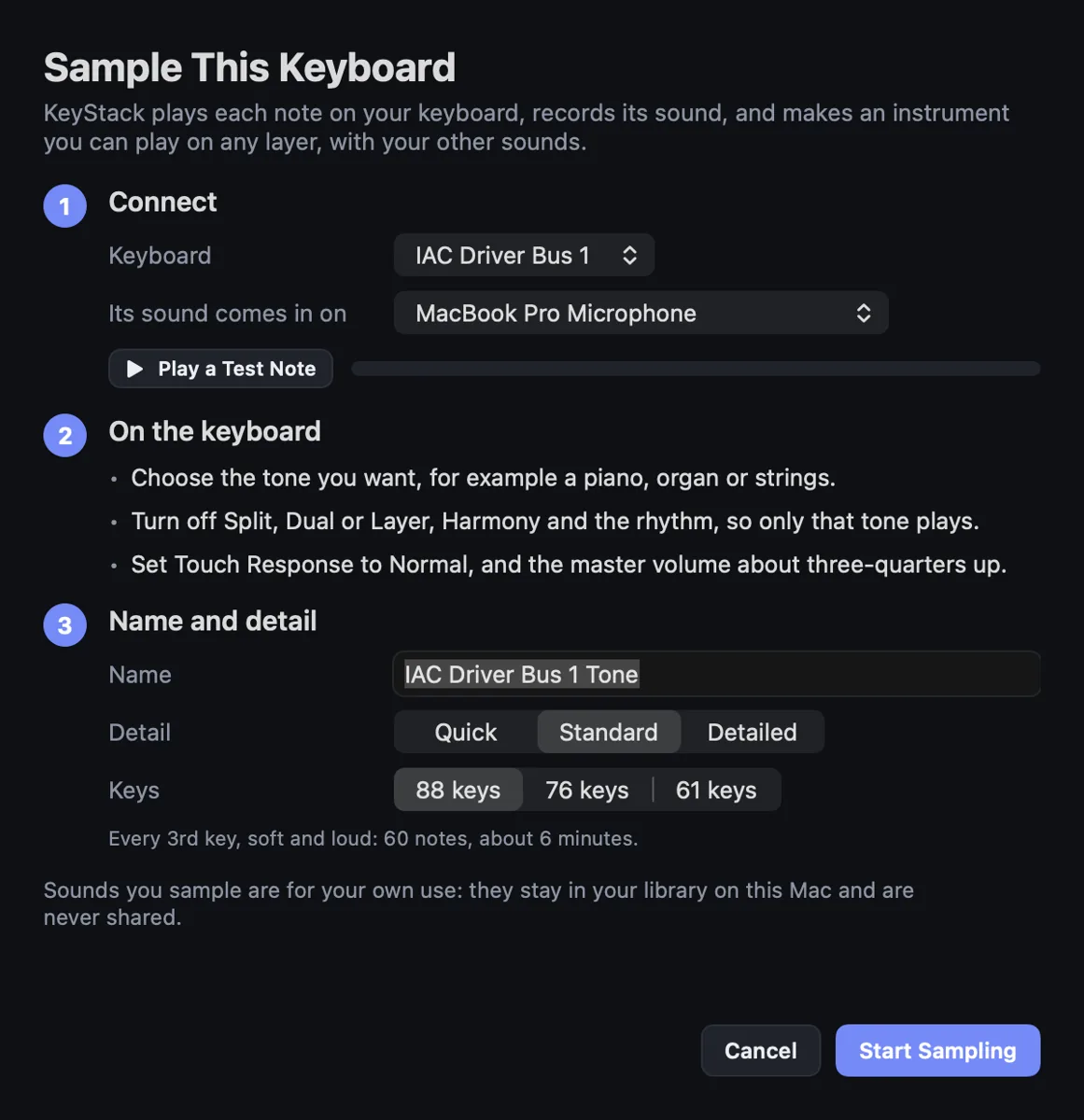
Sample This Keyboard records your keyboard's own tone, note by note, and makes it a sound you can layer with everything else in KeyStack.
And more
A click and spoken cues ("verse", "chorus", "last time") for the band only, on a separate output.
Play MIDI files at any speed, with scoring and Wait for Me, and gospel lessons in every key.
Every note you played in the last minutes is kept: save it as audio and MIDI. Film yourself as you play, ready to share.
Paste a chart or import ChordPro and Planning Center charts, in chords or numbers. Public-domain hymns are built in, with their tunes.
Built-in sounds, SoundFonts, SFZ instruments and Audio Unit plugins, plus your keyboard's own voices as layers.
No account and no internet needed on Sunday. Your licence works offline for months at a time.
Beyond Sunday
Everything that runs a service works the same for any programme with a keyboard.
Prices
Then keep KeyStack Free, or unlock everything with a one-time purchase. No subscription.
After the trial, for as long as you like
Free
For one musician
Soon
For a church or organisation and the musicians who play for it
Soon
Pay by card from anywhere, Apple Pay, or mobile money (MTN, Telecel, AT). Your licence key arrives by email straight away.
Questions
KeyStack keeps working as KeyStack Free: two layers, one setlist of up to five songs, and everything else you've set up. Buy Pro or Church at any time to unlock everything again; nothing is lost.
No. You pay once and keep KeyStack for good. Your purchase includes a year of updates. After that, every version released during that year keeps working for good.
Pro works on 2 of your devices and Church on 3. Moving to a new computer? Remove the old one in Settings › Licence and enter your key on the new one.
No. KeyStack checks your licence online once, then works offline for months. It checks again quietly when you're online.
Any keyboard or controller that connects to your computer by USB or MIDI. Keyboards like the Yamaha DGX-670 and MODX can also play their own voices alongside KeyStack's, and send their sound over the same USB cable.
Because the trial has every feature, purchases aren't refunded for a change of mind. If you're charged twice or by mistake, or KeyStack won't work on your setup and we can't fix it, you get a full refund. Refund policy.
Get it emailed again to the address you bought with.